
Five Benefits of Moving to Cloud Solutions like Office 365

As technology paves the way for Australian businesses to compete in an increasingly global marketplace, many industries that were once location-dependent now have the freedom and flexibility to operate anywhere. Improved mobile networks, widespread wi-fi access and a growing number of cloud-based services are just some of the technologies underpinning this shift.

Of all these advances, cloud services, particularly Software as a Service (SaaS) presents perhaps the greatest opportunity for the real estate industry and business owners. Agents frequently spend a lot of time in the field, where access to office-based information and systems has previously been limited. But now many of these systems, including Microsoft Office, are available in the cloud – giving agents flexibility to perform a range of tasks from anywhere, anytime.

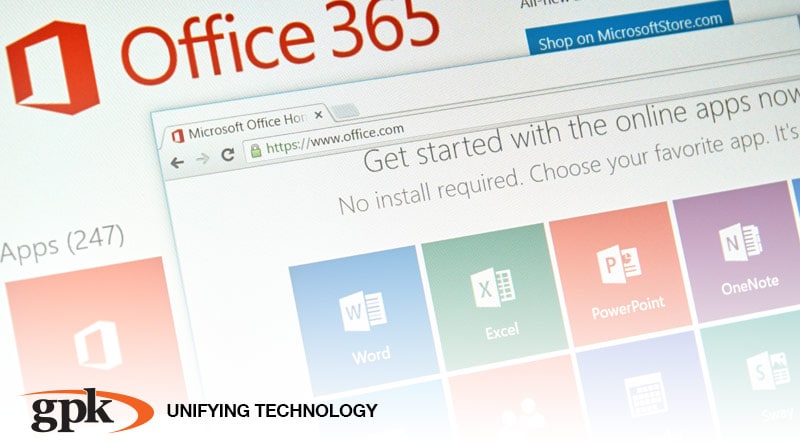
Known as Microsoft Office 365, the cloud-based version of this popular software is a subscription-based service hosted by Microsoft Azure. It provides access to the entire range of Office programs including Word, Excel, PowerPoint, as well as SharePoint and OneDrive enabling agents to access documents and data, collaborate and hold Skype meetings and manage email and calendar scheduling just as they would if they were in the office. And since the software itself is already familiar to many of them, most will make the transition comfortably and easily.

Aside from greater functionality for end users, Microsoft Office 365 also has a range of operational benefits for real estate business owners. These include:

  1. Scalability – The subscription-based model means you can pay only for the programs, support level and amount of storage you need, allowing you to scale up or down as your business requires, respond proactively to market or growth opportunities and control costs.
  2. Security – Office 365 has highly sophisticated security controls and monitoring managed entirely by Microsoft – so you never have to worry about whether your system is protected or devote staff resources to the time consuming task of installing patches and updates.
  3. Real time data – All the information stored in Office 365 is updated in real time – there’s no need to be in the office, wait for a download or send documents via email – enabling you to make decisions based on the latest information and act responsively to customer needs.
  4. Less Overheads – Because there is no need to purchase the software or upgrades outright or allocate staff resources to its installation and maintenance, Office 365 enables you to reduce IT equipment costs and redirect these funds towards business growth activities. It also frees up your staff to focus on more important tasks.
  5. Reliability – Using a hosted cloud service such as Office 365 is like having around the clock IT support, so any downtime is kept to a minimum. Microsoft Azure also provides 24/7 phone support for users, so everyone in the business can access help when and where they need it and maintain optimal productivity.

The pace of change in Australia’s real estate market means it’s no longer optional for business owners to utilise the latest technologies if they want to remain competitive. Cloud based SaaS options like Microsoft Office 365 give agents the flexibility to perform tasks and access real time information while they’re in the field, boosting productivity and service delivery. They also provide business owners with greater control and budgeting capability to support their unique needs – all of which help them respond and adapt to market changes whilst still growing the business.

If change and meeting your customers’ needs is a constant, doing nothing isn’t an option.  Be sure you are partnering with a company with the depth and breadth of expertise you require. Particularly one who can help you navigate end-to-end managed services, cloud, mobile and paperless office technology. GPK consultant, Ben Holian, is available for a no obligation discussion on how GPK can help you reduce operational costs, manage your IT footprint more effectively and create an exceptional experience for your customers. Contact: Phone 1300 000 475 or email info@gpkgroup.com.au for more information.

How Secure Are You? 6 Tips To Make Your POS Safe

Technology adds value to our business world in many ways, helping us work smarter, faster and more efficiently than ever before. It arms retailers incredible customer insights to drive marketing activities, streamlines inventory and stock control and helps optimise staff resources and service delivery. But as retailers embrace all the capabilities today’s point of sale (POS) technology offers, they may also open the door to cyber crimes that could stall or completely disable their business.

Cyber crime comes in many forms including phishing, system attacks and identity theft. But one of the most widely publicised is ransomware, a type of malware or malicious software designed to lock down or block access to your system until you pay a large amount of money. In May 2017 many retail POS systems were immobilised by the ‘WannaCry’ ransomware, which hit over 230,000 users in 150 countries worldwide. Ransomware like Wannacry can find its way into your POS in several ways, most commonly via a phishing email, infected website or malicious internet ad.

Retailers frequently protect their back-of-house computer systems with firewalls and antivirus software, but fail to apply the same safeguards to point of sale systems and the broader store network – potentially exposing sensitive company information, customer credit card data and personal details to cyber criminals.

The good news is that in addition to installing anti-virus software on your POS, there are a range of steps retailers can take to protect their business. Here are our top 6 tips for keeping your POS safe:

  1. Backup! Backup! Backup!

No matter what the type of data, back everything up regularly and make it a non-negotiable part of your store’s IT routine. Apply the same rule to every device from desktop computers and laptops to tablets and mobile phones, as they’re all susceptible to cyber attack.

If your data is backed up in the cloud, always log out of the cloud at the end of your session. If you are backing up to an external drive, make sure it’s unplugged to prevent hackers encrypting and locking your back up.

2. Isolate POS From The Network

Cyber criminals will often target your POS as a way to gain access to sensitive data stored in other parts of your network. Even with security measures in place your POS may still be vulnerable, so it’s essential to mitigate the risk to your broader business by keeping all credit card transactions contained to that one system and isolating it from the rest of the network with a firewall.

3. Keep Security Updated

Always install the latest POS software updates as soon as they become available. These updates often incorporate security patches designed to fix a weakness in the software that might expose you to attack.

It’s also vital to have a strong password different from the factory-set password used when the software was installed, which a hacker could easily find online. Change the password regularly and use at least 12 characters including numbers, upper and lower case letters and symbols.

4. Don’t Touch Anything Unfamiliar

One of the most common ways ransomware or other malware can enter your POS system is when a user clicks a link within a phishing email.

Avoid opening or downloading anything unfamiliar including attachments, text messages and apps. Hackers are becoming increasingly clever at imitating genuine content like password reminders or requests to update information so be on high alert and if in doubt, contact the organisation directly to verify the request.

5. Avoid Internet Browsing on POS

Like phishing emails, unsafe websites and malicious online ads put you just a click away from infecting the POS with a virus or malware. Many infections result from human error, particularly if a customer asks a user to look up additional information, or the user takes advantage of a quiet moment in trade to check their personal emails. As a general rule, any system that accepts credit card payments should not be used for internet browsing and vice versa.

6. Get Reputable IT Support

Even with dedicated internal IT resources, it can be challenging for retailers to keep their POS system secure.  Having a third party IT specialist who can monitor your system full time is essential to keep your business safe.

If your POS system is infected, your IT specialist can step in to mitigate the damage and manage the repair process for you, leaving you free to focus on other areas of your business.

Today, POS technology enables retailers to serve their customers more efficiently and effectively than ever before. But like any technology, it also requires stringent security measures to keep business and customer data safe. Making the security of your POS system a priority will help you avoid costly downtime and the potentially devastating effects of fraud, identity theft and other cyber crimes.

If change and meeting your customers’ needs is a constant, doing nothing isn’t an option.  Be sure you are partnering with a company with the depth and breadth of expertise you require. Particularly one who can help you navigate end-to-end managed services, cloud, mobile and paperless retail technology. GPK Retail consultant, Cordell Quaine, is available for a no obligation discussion on how GPK can help you reduce operational costs, manage your IT footprint more effectively and create an exceptional experience for your customers. Contact: Phone 1300 000 475 or email info@gpkretail.com.au for more information.

PaaS, IaaS or SaaS: What’s Best for Your Business?

Over the last couple of decades, many geographic barriers to trade have been eliminated with the use of technology. Real estate companies of all sizes and across all areas of property are now operating in a global market place, with sales and leasing transactions just as likely to take place via Skype as in a physical office. This has created a swathe of growth opportunities but it also means that now more than ever, it’s imperative to have the right IT systems in place.

For business operators, one of the most important IT systems impacting efficiency and the ability to stay competitive is infrastructure. Consumer preference has long-favouredfavored cloud over location-dependent solutions; now business is increasingly discovering how cloud systems can not only improve customer satisfaction, but also deliver a range of commercial benefits.

The transition from onsite IT systems to the cloud does not happen overnight. And depending on the needs and comfort level of the business operator, this transition need not be absolute. In many cases, the first step is to virtualize the infrastructure (IaaS) and then begin the adoption of more fully managed solutions. In other cases, companies can jump in feet first and adopt a SaaS version of applications they’re already using in many cases with feature parity. Sometimes shifting just part of your IT responsibility and overhead to an external provider can deliver substantial cost and time-savings, greater security and improved business continuity (uptime).

The first and possibly most familiar cloud solution is SaaS or Software as a Service. SaaS provides complete software functionality, but instead of being installed on individual workstations the software is accessed online. Some common examples of SaaS include Dropbox, Xero and Salesforce.

SaaS solutions provide business operators with a cost effective, convenient way to manage their software needs. Many are supplied via subscription, allowing scalability and flexibility to extend or upgrade in line with the needs of the business while the SaaS provider takes responsibility for security, availability and performance and backup.

The second cloud solution is PaaS or Platform as a Service. PaaS delivers both hardware and software support and provides the foundation upon which to run your business databases and applications. In everyday terms, this means that rather than installing an operating system on individual computers, users access the system by logging in to a web browser or certain management tools.

PaaS is commonly used by Software developers wanting to build and test applications without having to maintain the underlying hardware and eventually as a platform to delivery their SaaS.

PaaS is also useful if you’re a business that develops your own in-house tools, meaning you can focus on developing the application, while leaving patching and maintenance of the hardware to the PaaS provider. For most of us, PaaS is something that we’ll skip over, opting to go straight to SaaS, where our applications are being delivered today.

The third and perhaps most substantial cloud solution is IaaS or Infrastructure as a Service. In this model, rather than owning and maintaining onsite hardware like servers, storage and networks, which demand significant time, capital and human resources, responsibility is transferred to a third partythird-party cloud provider and you pay on-demand for the services you use.

For end users, shifting to IaaS causes minimal disruption; existing applications just run from virtual rather than onsite machines. For business operators, there are IaaS solutions for on-server applications such as REST or Console which provide significant peace of mind by offering a stable and secure way to house and maintain business critical functions like property management, trust accounting and sales whilst also allowing easy scalability and reducing overheads.

As cloud functionality becomes the new norm for business and consumers, real estate companies are increasingly asking the question ‘Should I be focusing on managing my IT infrastructure or making money?’ At this stage, the answer is twofold: there are still a few business criticalbusiness-critical applications not yet available in the cloud, meaning that IaaS is the logical first step.  But it’s only a matter of time before these too become SaaS. Until then, there are many cloud solutions already available that can greatly enhance business productivity, efficiency and competitiveness many of them offering the same features to solutions you use today.

Determine your ideal business outcome: is it to free up staff resources? Reduce capital expenditure? Communicate news in real time with your customers? Then marry this with your comfort level and understanding of the services available. This way, you’ll achieve a cloud migration solution that helps grow your business now and in the future.

If change and meeting your customers’ needs is a constant, doing nothing isn’t an option.  Be sure you are partnering with a company with the depth and breadth of expertise you require. Particularly one who can help you navigate end-to-end managed services, cloud, mobile and paperless office technology. GPK consultant, Ben Holian, is available for a no obligation discussion on how GPK can help you reduce operational costs, manage your IT footprint more effectively and create an exceptional experience for your customers. Contact: Phone 1300 000 475 or email info@gpkgroup.com.au for more information.

0%