
In an age where cybercrime is outpacing our population growth, Australian businesses must be more vigilant than ever in protecting their company and customer data. Yet the sheer volume of information and competing priorities many leaders and their teams face every day can lead to negligence in the little things.
Like passwords. According to a 2017 survey by ME Bank, 89% of people use just one or two passwords to manage many accounts and logins. At the same time, it’s not uncommon for employees to manage nearly 200 passwords as part of their everyday responsibilities. Marry these two factors, and it comes as no surprise that many people inadvertently expose themselves to breach just trying to simplify the process – choosing overly basic passwords, using the same password for personal and professional accounts, and sharing password information with others.
There’s no denying the risks of a data breach can be catastrophic. No business owner can afford not to use stringent password controls. So, what can you do to simplify this process and ensure you, your organisation and your customers are protected?
Here are some simple steps you can implement today:
- Separate business and personal – Once a hacker has breached your system, it’s common practice for them to sweep all your content and history looking for commonalities. If you’re using the same password in multiple places, they’ll gain access to multiple accounts in one fell swoop. If you use the same device for work and personal purposes, the risk is multiplied. Similar passwords pose just as much risk because a determined hacker will often apply a brute force attack that runs through many combinations of characters in an attempt to ‘crack’ your password. So, don’t be tempted to just swap out one or two characters from one password to the next!
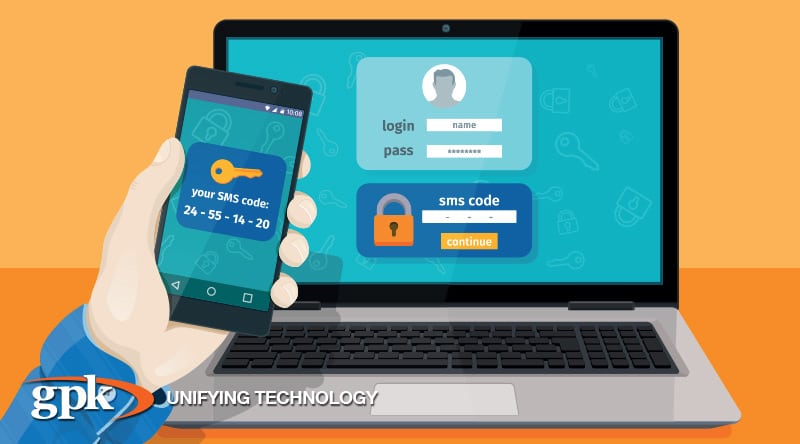
- Turn on 2-factor authentication – If you use internet banking, this feature is invaluable – and it’s readily available through most credible banks. This method acts as an extra line of defence for your accounts, by requesting two different pieces of information at login: firstly, your password and then the entry of an automatically generated one-use code. In most cases, all that’s required to start using two-factor authentication is to activate the setting on your account and nominate a mobile number or email account the code can be sent to.
- Use a password manager – If keeping track of numerous passwords is an obstacle to better security in your organisation, it’s worth investing in a password manager. This simple tool streamlines password management by needing just one master password to govern the account; for every other account, you need a login to, it generates a highly secure password on your behalf and stores this data in encrypted form. You can then access that password data from your desktop or mobile device whenever you need it, without needing to remember or record the details. There are many free or low-cost password managers available for download, including the highly regarded LastPass.
Every day, we’re living more of our lives online. And when it comes to running a business, we can’t afford to not be online. Poor password control exposes you and your customers to numerous security risks, which could spell disaster for your business’s reputation, performance and profitability. So rather than hope a cyber-attack won’t happen to you, take some simple measures like those outlined above, educate your team, and make password protection a key part of your business process.
If change and meeting your customers’ needs is a constant, doing nothing isn’t an option. Be sure you are partnering with a company with the depth and breadth of expertise you require. Particularly one who can help you navigate end-to-end managed services, cloud, mobile and paperless retail technology. GPK Retail consultant, Cordell Quaine, is available for a no-obligation discussion on how GPK can help you reduce operational costs, manage your IT footprint more effectively and create an exceptional experience for your customers. Contact: Phone 1300 000 475 or email info@gpkgroup.com.au for more information.