An Introduction to Managed IT Services

An Introduction to Managed IT Services

One of the most popular services that businesses choose to outsource is managed IT services.

In this article, we take a look at what managed IT services are and why they can be a smart choice for many businesses.

Why do businesses choose to outsource their IT?

Many businesses choose to outsource standard IT tasks to an external IT supplier for many different reasons. Some of the main benefits of choosing to externally source your IT support include lightening the workload of in-house IT teams, supplementing teams that are unable to completely meet the business’s IT requirements or completely removing the need to have an internal IT team, saving the business money on salary and recruiting requirements.

IT providers which offer managed IT services are known as managed service providers (MSPs), and these providers can be useful for ensuring complete coverage of IT duties.

What do managed IT services cover?

Although specific services and benefits of outsourcing may vary, some of the more popular services that MSPs provide include:

  • On-site and remote support
  • IT strategic planning and design
  • Network management
  • Cyber security
  • Data back-up and recovery solutions
  • Disaster recovery
  • Cloud consulting and migration

The specific services your business needs will of course depend on your business type and requirements, and these services should be laid out in your managed services contract.

What is a managed service contract?

A managed services contract is essentially a service level agreement (SLA) between a MSP and the business requiring their services. What your managed services SLA covers can vary depending on your business requirements but generally a SLA will include a specific description of the services to be provided and expected service levels, the duties and responsibilities of each party, standard response times and procedures for things like equipment downtime, system failures and asset management.

Communicating your needs and expectations with your MSP is absolutely integral, as an air-tight SLA can help to eliminate the potential for future issues caused by miscommunication or confusion down the road.

What are the benefits of managed IT services?

There are numerous benefits that businesses can gain from the right managed IT services from your IT provider. If you have internal IT support, outsourcing IT ongoing tasks as part of a managed service can free up your internal IT team to focus on revenue-generating tasks. Your MSP can also provide expert guidance and recommendations to help you optimise your IT strategies to help improve your business practices, leading to increases in productivity and improved ROI for your business.

Managed IT service providers are also often not tied to the same schedule as your other employees, meaning that MSPs are able to perform system updates and maintenance during off-hours, which means fewer workflow disruptions for your business. In that same vein, the benefits of hiring an MSP over an internal IT employee is that instead of just one person, you get a whole team of IT specialists, meaning that you don’t need to factor in things like sick days or holidays which can disrupt and delay important ongoing IT projects.

Key considerations for managed service providers

While managed service providers can offer many benefits, there are also some considerations you should be aware of before you sign your SLA:

  • Hold your MSP accountable

As we have mentioned, when choosing a MSP you need to ensure they have clearly defined and actionable SLAs.The SLA should include clear reporting of deliverables and expected performance.

  • Strategic IT planning is key

Managed IT providers should help you strategically plan infrastructure upgrades, configuration changes, and additions to ensure you are receiving full value from their managed services. To achieve this, your MSP will not only need to understand your current business infrastructure but also make efforts to plan for improvements and expansion to align with your business goals and objectives.

  • Make sure the MSP is the right fit for your business

When considering working with a MSP, you need to verify their track record with your type of business. According to research by American cybersecurity and data backup company Datto, on average, MSPs serve businesses across 5 to 6 different industries. Different industries and business sizes can have vastly different IT set-ups and so you will need to ensure your chosen IT provider has experience with businesses similar to yours. It is also worth speaking to some of their past and current customers, so you can determine whether the MSP lives up to their promises. A reputable IT support company will be happy to provide you with references. 

managed-it-services-introductions

Choose to work with the MSP experts, GPK Group

Looking for IT services? Brisbane, Adelaide, Perth and Melbourne businesses choose to outsource managed IT services for many reasons. At GPK Group, our Managed IT Services offer Australian businesses a comprehensive and streamlined IT solution that takes care of your business’ IT needs from end to end.

Claim your Free IT Network Audit today to find out why it is GPK Group’s managed IT services Brisbane, Adelaide, Perth and Melbourne businesses prefer, or call us today on 1300 000 475 to speak to one of our IT professionals about your business’s IT needs.


A CEO’s Guide to Managed IT Services

A CEO’s Guide to Managed IT Services

A Managed IT service is the new next-weapon in a CEO’s arsenal.

As a CEO, you need to make tough decisions everyday about where to invest your money. Logically, you would be more willing to put your money in a place where you would most likely secure a return on investment (ROI).

But now, business leaders are being called upon to invest in a new kind of investment with no typical direct ROI: IT technology.

IT services can be the difference between a successful company, and one whose data is breached and reputation considerably damaged.

So below, we’ll outline what a CEO should know about managed IT services and how it will benefit their company.

managet-it-services-ceo

What are managed IT services?

Managed IT services allow a business to completely outsource their IT operations to an external service provider, known as a Managed Service Provider (MSP).

These services are designed to lighten your internal IT staff’s workload. But they also act as your company’s partners to improve data security, boost the effectiveness of your network and provide a better IT experience for all your staff.

Benefits of managed IT services

While there may be no ‘direct’ ROI with IT services, the benefits far outweigh the costs – ultimately making them considerably worth the investment.

1. Reduced costs

The primary benefit of having a managed IT service is that you can significantly reduce the cost of retaining a large in-house IT team.

You are also able to avoid the cost of installing expensive software, as external providers have it all there for you. You can also focus on channeling your existing IT resources to what matters most.

You can also minimise the cost of cyber security threats, which we will detail more about below.

2. Minimisation of risk

Keeping your IT systems as they are may leave your systems and data exposed to major problems in the future. As technology advances and in-house IT teams become stretched, the risks of IT failure will become imminent.

This includes the risk of ransomware. A 2021 survey by the International Data Corporation found that over one third of organisations around the world have experienced a ransomware attack that blocked access to their data or systems in the past year.

But equally as dangerous as the risk of rogue employees. In 2017, global health insurer Bupa faced strife when an employee stole data relating to over half a million clients, and tried to sell it online. Data lawyer Bradley Freedman said that “one big network” is massively risky. Rather, that business should “structure itself so employees have access to the data they need, but no more”.

Managed IT services offer a solution to minimise all this risk. Not only will you have access to leading anti-malware software, but you can ensure your data is safe with trusted outsourced professionals.

3. Access to expertise

Having a managed IT system will gain you access to external experts, helping your in-house IT teams focus on what they do best.

Your in-house IT staff may be a master at the help desk, and provide assistance to all your staff. But they may lack expertise in advanced cybersecurity, the cloud and security compliance regulations. An external managed IT services provider will fill that gap in a highly cost-effective manner.

At the same time, your IT system may be better served focusing on strategic projects within your organisation rather than being bogged down in daily work. This could include troubleshooting your staff IT problems, doing routine software upgrades, backing up data and so on. A managed IT services provider can take over that burden, helping your internal staff. 

Need to upgrade your managed IT services in Brisbane?

If you’re looking for IT services in Brisbane, our team at the GPK Group is ready to help. We are experts at transforming complex IT concepts into simplicity, from beginning to end.

Claim your free IT network audit today and we can help to identify threats to your security and cost leakages. We’ll also outline how a managed IT services solution can help you, save you costs and provide a better IT experience all round.

How Much Should You Be Spending on Managed IT Services?

How Much Should You Be Spending on Managed IT Services?

The question of how much to budget for managed IT services is a very common one for many businesses looking to outsource their IT to a Managed Services Provider, or MSP. The answer may not be a simple figure though, as there are many attributing factors to consider, some of which we will explore in this article. 

managed-it-services-cost

Why outsource your IT to a MSP?

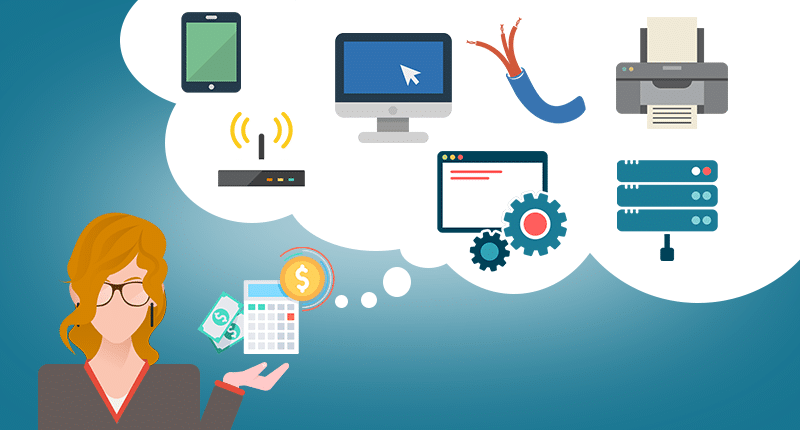
Many businesses choose to outsource their ongoing IT tasks to an external IT supplier, like an MSP for many different reasons. MSPs can be useful for ensuring complete coverage of IT duties and additionally, can provide specialty knowledge or expertise that may not otherwise be available. Think of it as instead of hiring just one IT specialist within your business, you can instead hire a whole team of IT experts, each with their own skills and specialities. 

Even companies with existing IT employers can benefit from externally outsourcing to an MSP; by allocating ongoing IT tasks to your MSP, your internal IT team now has the time and resources to instead focus on value-adding and revenue-generating projects. Your MSP can also provide additional training and guidance to help improve your business’s IT practices.

Additionally, managed IT service providers are often able to perform integral system updates and maintenance out of business hours, which means fewer disruptions for your business and less overtime for your internal IT team. 

How much should managed IT services cost?

This is a hard question to answer generally, as the cost of your managed IT services will vary depending on your IT support provider and the amount of IT support that your business requires. Every business is different and so the level of IT support will vary depending on your business size, industry, requirements and future plans.

As a general rule of thumb according to research from Deloitte, companies will budget between roughly three and a half percent of their total business revenue to their IT spend, averaged out across all industries. While it may seem a large amount of money to spend, it is important to remember that spending money on IT is an investment into your business, helping to future-proof your organisation and enabling it to run efficiently.  After all, would you rather make a saving, or take comfort that your business’s IT needs are sorted?

Managed IT pricing structures

There are three common pricing structures that can affect what your IT spend looks like.

  • Per hour.
    Under this pricing structure your business is charged at an hourly rate for your managed IT needs. This is one standard rate, regardless of the service, urgency, or time taken. This pricing model is popular for smaller businesses with smaller budgets who may require less IT support. 
  • Per project.
    You will be charged at a set, pre-agreed rate per project. This structure focuses more on the outcome of the project itself, rather than the time it takes. This method is popular for businesses who require additional support for IT-focused projects within their business. This option is also commonly combined with other pricing structures to cover additional IT needs.
  • Per month.
    This pricing structure covers your full-time managed IT service and is the most popular choice as it enables businesses to plan their budgets more easily.

The pricing structures should be pre-agreed between your MSP and your business and should be clearly outlined in your managed services contract, or service level agreement (SLA).

What does managed IT services cover?

While your MSP will be able to advise the right services required by business, some of the more popular services that MSPs provide include:

  • General day-to-day IT support
  • Network management 
  • On-site and remote support
  • Disaster recovery
  • Cloud migration
  • Data back-up and recovery solutions
  • Cyber security

According to a recent survey by American cybersecurity and data backup company Datto, Cloud-based infrastructure design and management was the most popular service performed by MSPs around the world, followed by management of office productivity software services (such as Microsoft 365) and business continuity and disaster recovery.

Invest in your IT with the MSP experts, GPK Group

If your company is looking to invest in IT services, Brisbane, Adelaide, Perth and Melbourne businesses choose GPK Group to help their businesses succeed. 

Whether you are after Managed IT services Brisbane, retail technology solutions, or advice on migrating to cloud technology, GPK Group offer Australian businesses a comprehensive and streamlined IT solution that takes care of your business’ IT needs from end to end. Claim your Free IT Network Audit or call us today on 1300 000 475 to speak to one of our IT professionals about your business’s IT requirements.

Cryptolocker Protection and Removal

Cryptolocker Protection and Removal

Cryptolocker is a sophisticated variant of ransomware that’s grown in infamy in recent years.

And while the original strain has been neutralised, copycat cyber security threats still exist. So for ease of use, we’re going to refer to them all as Cryptolocker.

So let’s look at what Cryptolocker is, and how you can provide Cryptolocker protection for your Brisbane business.

Cryptolocker

What is Cryptolocker?

Cryptolocker is a malware program that has shown itself to be more dangerous than standard ransomware.

Cryptolocker doesn’t just go after the files or devices on your network—it works faster, and goes further, and can affect an entire mapped drive. So your C: drive, E: drive, all of it.

And more insidious than that, it can also spread to external devices, such as USBs, external hard drives, and folders in your cloud networks.

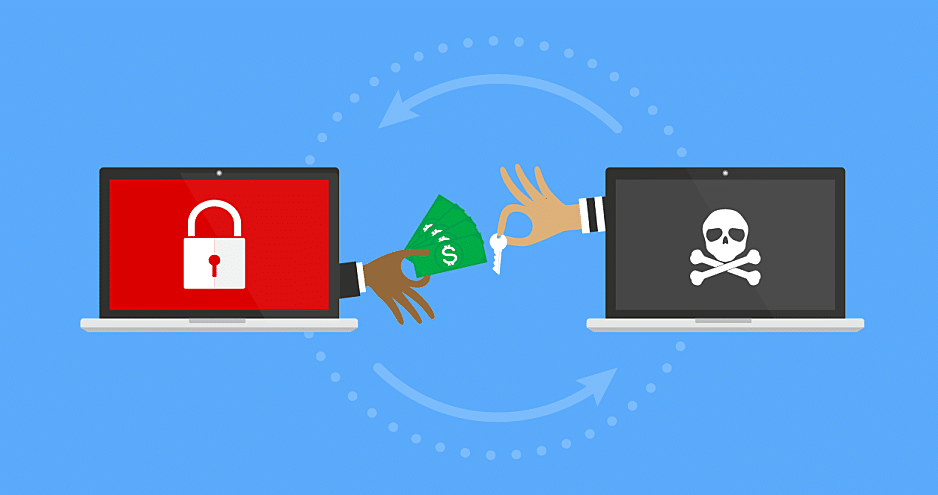
Once Cryptolocker infects your computer, network, drives, or files, you’ll receive a notification telling you that your files have been encrypted. This will say that a ransom must be paid to retrieve them, and you can only unlock your files with a decryption ‘key’ provided by the hackers.

This response is timed, too. The original CryptoLocker ransomware gave victims 100 hours to pay the ransom, or their files are deleted. Copycat cyber security threats present themselves in much the same manner.

At present, Cryptolocker only affects those systems running Microsoft Windows. Mac users are safe, for now.

What is the impact of Cryptolocker?

Given its more aggressive and vicious spread, Cryptolocker can do more damage than your average ransomware. It can prevent access to entire drives, shutting down vast elements of your business operations. It can disrupt IT systems, and spread into IoT-connected devices, with the potential to bring entire supply chains to a standstill.

How to protect your business against Cryptolocker

There are a few key steps that provide your business with protection against cyber security threats like Cryptolocker.

  • Protection from Cryptolocker begins with safe internet use protocol. Provide regular internet safety training for all your staff, and their families. After all, common sense isn’t always commonsense. Ensure that everyone knows they shouldn’t open suspicious emails, or anything from unknown email addresses.
  • Make sure everyone knows what ransomware is, what Cryptolocker is, the potential effects, and how it can be spread. Provide clear instructions of what to do in the event a Cryptolocker attack occurs.
  • Another way to improve Cryptolocker protection is to restrict user access. Ensure users only have access to files and folders that are necessary to do their job. This works to contain the damage; the less attack surface that ransomware has, the smaller its spread will be, and the less can be encrypted.
  • Install whitelisting applications to ensure only approved software is running on your networks.
  • Ensure your antivirus software is up to date and patched with the latest information.
  • Ensure your operating systems are up to date and patched.
  • Importantly, ensure your business has a thorough backup and recovery process in place. Regularly back up your data and files with secure, remote backups. Consider using both physical and cloud off-site storage, to provide multiple backup points.

How to remove Cryptolocker

But if protection against Cryptolocker is no longer an option, you’ll need to know how to remove the ransomware. Be warned though: this won’t decrypt your encrypted files. But it will stop the malware from spreading.

If you fall victim to a Cryptolocker attack, you should treat it the same as a ransomware attack:

Step 1. As soon as possible, isolate any infected drives, devices, or folders from your network. This should work to reduce the spread.
Step 2. Shut off any network connections.
Step 3. Perform a thorough antivirus scan of the infected devices and drives, running it as many times as necessary to remove all traces of the original infection.
Step 4. Restore the operating system to the latest backed-up version.
Step 5. Again, perform a thorough antivirus scan to ensure all traces of the Crytolocker have been removed.

However, we don’t actually recommend you perform the review yourself. Bring your infected devices in to GPK instead. We can perform a thorough review of your devices in a secure environment, to minimise any further cyber risk to your company.

Get Cryptolocker protection for your Brisbane business

The best defence against ransomware is to be prepared. And Cryptolocker protection is the same: the better prepared you are, the more regular your remote secure backups are made, and the tighter your security protocols, the best chance you have at minimising any damage from a Cryptolocker attack.

GPK Group provide full-scope IT cyber security for Brisbane businesses. We help ensure you have the right software and protocols in place to protect against cryptolocker, ransomware, and the latest cyber security threats.

Get in touch with us today to discuss a cyber security solution for your Brisbane business.

The Cost of Cyber Security Threats for Australian Businesses

The Cost of Cyber Security Threats for Australian Businesses

We all know that cyber security threats are a real and present danger for Australian businesses. But just how much of a danger are they?

A quick look at the numbers tells us that cyber risks are set to damage Australian businesses big-time.

It’s estimated that by 2025 cyber crime is going to cost the world US$10.5 trillion annually. That’s such a huge figure that it’s practically incomprehensible.

And that’s not just in direct costs. This figure is a sum total of the damage caused by cyber security threats. It covers things like:

  • Stolen business funds
  • Stolen intellectual property
  • The destruction of irreplaceable businesses data
  • The loss of associated personal data
  • Lost staff working hours caused by the associated cyber attacks
  • The cost of investigation, clean-up, and business network restoration
  • The cost for the business of getting back on its feet

And the really concerning thing about this is that cybercriminals know that these numbers are achievable. Particularly in Australia.

Australia isn’t prepared against large-scale cyber security threats

Back in 2019 the Australian Department of Defence undertook a review of Australia’s cyber risk preparedness measures. They ran through a series of cyber risk scenarios, determining potential cyber attacks and our response as a nation to these attacks.

The scenarios themselves started out fairly innocuous. Australians queuing online to buy tickets online to the 2022 AFL grand final would find the system is down. Unbeknownst to them, this is the first wave of a multi-step cyber attack. During this confusion, a second cyber attack would disrupt international supply lines, creating a shortage of supplies that keep our essential services running.

An alternate scenario saw cyber criminals launching attacks against critical infrastructure, like the power grid and food supply chains, or by taking control over autonomous vehicles.

While these scenarios took a country-wide focus, the unsettling this is that every Australian business has the potential to be a target of these attacks—if they haven’t already.

The cost of cyber security threats to Australian businesses

An IT security threat for a Brisbane business can end up costing on average $276,000. Per attack. For many businesses, that’s a number that they can’t recover from.

And with the rapid switch to remote work that we’ve seen in the past 18 months, cyber criminals have been given the opportunity to exploit business that simply aren’t prepared. In fact, the remote work revolution and work-anywhere phenomenon has highlighted the vulnerabilities in traditional business security systems.

This is starkly apparent in the context of home office scenarios. According to recent reports, the leading causes of cyber security threats and breaches were:

  • Ransomware
  • Process weaknesses
  • Out-of-date security tech
  • Third-party apps

We’ve spoken about cyber security threats like ransomware attacks before. But how do these other cyber risks affect businesses?

Process weakness

A process weakness takes the form of a failure or vulnerability in your cybersecurity processes and protocols. And, usually, it comes down to simple human error. It can be a missing step in your business’ security system, or simply forgetting to update your operating system to a newly-patched version. Or it could be your users not following best-practice password protocol.

These weaknesses in your security processes are easy for cyber criminals to exploit. So it’s critical that you review your processes regularly to ensure you’re protected against the latest cyber risks.

Out-of-date security tech

Similar to process weakness, out-of-date security systems are a big cyber risk for businesses. It might seem like a hassle, but updating your security software is one of the best ways to protect your business against cyber attacks.

Having the latest security software updates ensures that the latest known cyber security threats and issues are patched against, and there are no known vulnerabilities for criminals to exploit.

The operative word here is “known” threats. There may be other cyber security threats out there—they just haven’t been discovered yet. But rest assured that your platform providers and cyber security software companies are on the hunt 24/7 to uncover and fix any vulnerabilities.

The cyber risks of third party apps

Have you heard of Shadow IT? Given its name, it already sounds shady and underhanded, but it’s actually a fairly benign phenomenon. On the user end, at least.

Shadow IT occurs when your teams and employees use apps, devices, and services that haven’t been approved by your IT team. Shadow IT are the programs they download to speed up processes, the messenger apps they use because they prefer them. It’s the action of saving their work to a personal cloud folder, rather than the approved business location whether this is a server or your own cloud provider.

From their point of view it’s harmless. But in using Shadow IT, your teams are using technology that hasn’t been allowed for in your business’ IT security plans. If your IT team isn’t aware of an application or piece of software that’s being used, they can’t ensure that it’s secure.

As well as causing inefficiencies in your workflows, Shadow IT can lead to data leaks, compliance violations, and security system vulnerabilities. It makes sense: the more apps and platforms that your business uses, the broader your IT attack surface becomes.

So make sure that your teams know exactly what they should be using in their work. Ensure they’re using these platforms, and get rid of the rest.

cyber-attacks-australia

Australia might not be prepared against cyber security threats—but you can be

While Australia as a country isn’t prepared against large-scale cyber security threats, as a businesses you can still do everything possible to ensure your workspace and networks are secure.

At GPK Group, we provide robust cyber security for Brisbane businesses to ensure you’re as prepared as possible against potential cyber risks and cyber security threats.

Get in touch with us today for a free, no-obligation discussion on how we can help keep your business safe and secure against the latest cyber security threats.

Ransomware explained: How it works and how to remove it

Ransomware explained: How it works and how to remove it

Ransomware is one of the most common cyber security threats against Adelaide businesses. In this article, we take a look at what this cyber risk is, and how you can protect yourself against it.

ransomware-attack

What is ransomware?

In its simplest form, ransomware is a type of malware. These cyber security threats work by tricking the user into downloading and installing a file, or clicking a link, that’s infected with that particular ransomware strain.

Once downloaded, the malware then gets to work. It locks down your system, restricting user access and files, encrypting them. You’ll then typically receive a notification that your system has been infected. This usually takes the form of an on-screen pop-up or an email, informing your that their files have been locked and encrypted. Within this notification the hackers then demand a ransom to restore your files. These days, the ransom is typically in the form of BitCoin.

Then, if you don’t pay the ransom, the hackers simply delete your files.

How ransomware spreads

Ransomware is spread in much the same way that viruses and other cyber security threats do. Hackers will send a phishing email, tricking you into opening and downloading the file, or to click through the link provided.

Occasionally it’s spread through drive-by downloads. That is, when you visit a site where the malware has been implanted. It lurks there, waiting for a user to click on that page. Then it automatically downloads itself to your computer.

Ransomware is one of the more dangerous cyber security threats

There are now more than 1,800 different strains and variants of ransomware out there, and 2021 alone has seen unprecedented levels of ransomware attacks. Attacks that have increased in sophistication, in severity, and in the volume of ransom demanded.

However, any level of cyber risk is unacceptable to a small business.

The average ransom businesses pay is over US$300,000. But that’s just on average. Smaller businesses may expect to pay $60,000, larger businesses a lot more. In March this year, computer manufacturer Acer was held to ransom to the tune of US$50 million.

Do I pay the ransom?

Despite the obvious issue that your sensitive and critical information is no longer available, the problem with ransomware that most businesses will struggle with is whether or not to pay the ransom.

By nature, the group doing the hacking aren’t going to be the most scrupulous of sorts. So will paying the ransom even ensure you receive access to your files?

The Australian Cyber Security Centre has clear guidelines on what to do in the event of a ransomware attack: Don’t pay. After all, there’s no real guarantee that the hackers will return your files or fix the damage they’ve caused.

Paying the ransom once also implies you may do so again in the future, leaving you vulnerable to future attacks.

How to remove ransomware

The best way to deal with the cyber risk of ransomware is to assume that your files and data are already gone. Instead, focus on restoring your data and files from your backups.

But let’s assume that you haven’t done this in a while.

If you were to fall victim to a ransomware attack, time is of the essence. So rather than reverse the situation, you need to focus instead on minimising the damage.

Here’s how to do it.

Step 1. Isolate the infected files or devices from your network to reduce and stop any further spread.
Step 2. Shut down wireless and Bluetooth connectivity to stifle any further spread.
Step 3. This is the hard bit. You need to identify any and all infected files or devices.
Step 4. Lock and restrict sharing access to any infected files or devices.
Step 5. Locate the original infected file. You can check your antivirus software for any alerts, or quiz your teams on any activity that may have led to malware being downloaded.
Step 6. Check your antivirus provider to determine the strain of ransomware you’re dealing with.
Step 7. Report the attack to the Australian Cyber Security Centre.
Step 8. Restore all your business systems from the latest backup.
Step 9. Run your antivirus/antimalware software as often as necessary to ensure all traces of the ransomware have been eliminated from your network.

How to combat ransomware

When it comes to ransomware, removing it yourself is a last resort. The best way to actually combat ransomware is to ensure your business performs regular, secure backups in the first place.

Keep these backups separate to your business system. The more removed they are, the safer they’ll be. Consider using both physical and cloud off-site storage, to provide multiple backup points.

Also, ensure your business practices sensible internet use. Don’t click suspicious emails or links. Only use secure networks. And make sure your antivirus software is up to date.

The best defence against ransomware is to be prepared

Ransomware is one of the most common cyber security threats impacting Adelaide businesses. So it’s crucial that your organisation is prepared.

At GPK Group we take a proactive approach to managing your business’ cyber risk, and provide robust, full-scope IT cyber security for Adelaide businesses. Contact us today to discuss a cyber security solution that stops ransomware in its tracks.

The Top 10 Most-Infamous Cyber Attacks

The Top 10 Most-Infamous Cyber Attacks

There have been some absolutely astounding cyber security threats in recent years. Wide-ranging, costly, and damaging the activity of large Australian businesses for days.

And while cyber security threats are becoming more insidious, and more targeted, they don’t always make the news.

So let’s look at 10 of the most infamous cyber attacks in history, and the flow-on effects these have had to cyber security for Adelaide businesses.

cyber-attacks

1. The Cambridge Analytica data scandal

Call it what you will, but the Facebook Cambridge Analytica data scandal was a sophisticated social engineering hack that was effectively hidden in plain sight.

Facebook engaged consulting firm Cambridge Analytica to create an app, This Is Your Digital Life, for research purposes. It was supposed to collect personal information from those that opted in—but ended up collecting the information from their unsuspecting friends, too.

While only 270,000 people downloaded the app, data was collected on 87 million users. This included things like names, relationship status, religion, birthdate, employers, search activity, and check-ins. The data was then used by both Senator Ted Cruz and President Trump to gain information on the political preferences of Americans during their political campaigns.

While many may not see this as a cyber attack, it was definitely one of the biggest cyber security threats in recent year, the fallout of which has changed how we view social media and its use.

2. Ashley Madison

Ashley Madison, the infamous online dating site for those already married or in relationships, was famously hacked in 2015. An online group known as The Impact Team notified the site that it had stolen the personal information of 32 million of their members, and threatened to post it online unless the site closed down.

Ashley Madison ignored them, and much to the shock of those using the site, the hacking group followed through and posted their sensitive data online, exposing those users to public scrutiny.

This breach cost the company almost $30 million in fines and damages—and untold heartache in homes all over the US.

3. Sony’s double-header

Entertainment giant Sony found itself under attack twice in the early 2010s.

In 2011 hackers stole the personal data of 77 million PlayStation users, including credit card and financial information. A distributed denial of service (DDoS) attack shut the PlayStation network down for 23 days, costing the company $15 million in compensation to its users.

They bore the brunt of further cyber security threats in 2014, falling victim to a malware attack. The hackers gained access to employee emails, confidential film scripts, employee salary information, and copies of unreleased films. They then used wiping malware to attack Sony’s computing infrastructure.

It was determined that the attack came from a North Korea-sponsored group, in response to their views against the Seth Rogen and James Franco film, The Interview.

4. Adobe

Globally-used and loved creative platform Adobe fell victim to a cyber security threat in 2013, when they announced a backup server had been hacked. The hackers stole the personal data of 153 million of its users, including usernames and passwords. This information was then dumped online.

5. Celebgate

Celebgate wasn’t a large-scale attack, but it was certainly well publicised. In 2014, a group of hackers used spearphishing tactics, creating emails that mimicked official Google and Apple emails, to gain the usernames and passwords to celebrity cloud accounts. Their goal was to steal private images of female celebrities.

Hundreds of big-name actors were impacted by this, and had their personal and private images dumped onto imageboards across the internet.

The cyber security threat implications of this attack are still being felt, and similar instances continue to occur. It goes to show that cyber crime isn’t always about dollars; often it’s purely out of spite, to cause chaos.

6. Wannacry

The 2017 Wannacry ransomware attack was a cyber security threat that impacted around 230,000 computers in more than 150 countries. The hackers target computers running Microsoft Windows, demanding payments in BitCoin.

What was particularly insidious about this attack was that it included a mechanism that enabled it to copy and then spread by itself. Users that hadn’t installed the most recent April 2017 Windows security patch fell victim to the attack. And it was a vicious one, with victims hearing reports that no infected businesses who paid the ransom ever actually received their data back.

At the end of the campaign, a total of 327 payments had been made, totalling US$130,634.77

Notably, the UK’s National Health Service, Indian State Government organisations, Nissan, Boeing, and FedEx were all hit by the Wannacry attack.

7. SolarWinds

December 2020 saw the US Government fall victim to a mammoth cyber attack. Unknown actors inserted malicious code into SolarWinds’ Orion network management software used by Fortune 500 companies all over the world, including firms like Microsoft. At least 6 US government departments were impacted. This included, concerningly, the National Nuclear Security Administration, and the Department of Homeland Security.

This code went undiscovered, and SolarWinds even sent a security update to its users that included this malicious code.

It’s unclear to what extent these users have been breached, or even what data has been stolen, making this one of those significant cyber security attacks ever.

8. Zoom

As the world shifted to working remotely, businesses and individuals were quick to roll out the Zoom platform. But as its user base grew, so too did interest from cyber criminals.

One well-publicised cyber security threat saw the user account credentials, passwords, and meeting URLs stolen, and put up for sale on the dark web.

Zoom reacted by implementing crucially-missing security measures, including meeting IDs and passwords.

9. Yahoo!

Yahoo! just can’t seem to catch a break. The search has fallen victim to cyber security threats on at least three separate occasions.

In 2014 they had 500 million user accounts breached, where senstive personal information like phone numbers, passwords, and birth dates were stolen. In 2018 it reported a breach of 32 million user accounts.

But neither of these compare to their 2013 breach, where it revealed that 3 billion user accounts had been stolen.

10. Target’s bad luck with credit card details

Target’s attacks are notable as the first time a retailer of this size was the victim of an attack on this scale.

In 2013 in the US, during the Black Friday, the details of 40 million Target customer credit card accounts were compromised. This happened again in 2014, with another 70 million credit card account details being compromised.

So, what have we learned?

While it seems that some of these businesses haven’t put their learnings into action, that doesn’t mean you can’t.

GPK Group provides smart cyber security for Adelaide businesses, so you get peace of mind that you’re protected against cyber security threats.

Reach out to us today for a free, no-obligation discussion on how we can help your business remain safe and secure against the latest cyber security threats—and so you don’t see your name in this list.

0%