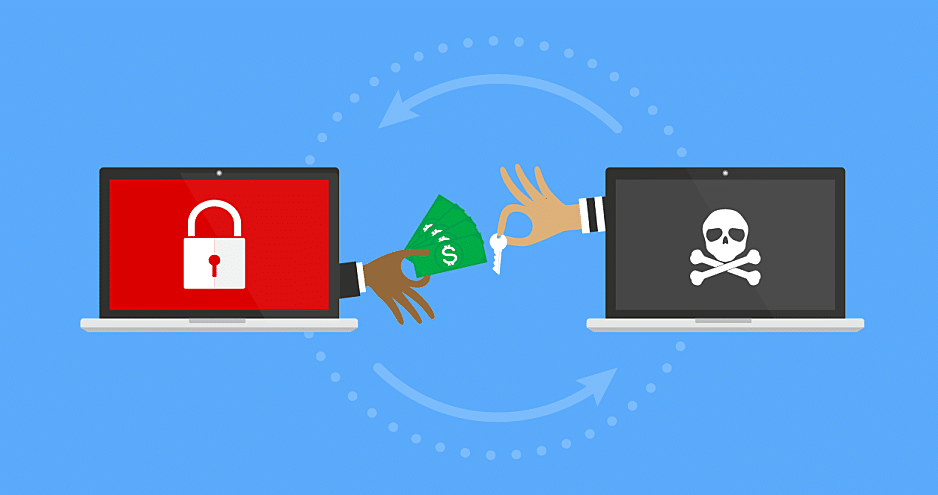
Retail Data Breach Examples and How Managed Cybersecurity Can Prevent Them

Retailers today operate in a digital-first world where customer trust depends heavily on data security. Unfortunately, the retail industry has become a prime target for cybercriminals. From ransomware to third-party vendor attacks, breaches have exposed millions of customer records across the globe, damaging reputations and bottom lines.

Here are some recent examples of retail data breaches and what they teach us about the importance of managed cybersecurity.

Ransomware Disruptions

Major retail chains like Marks & Spencer faced ransomware attacks that disrupted payments and online orders, costing millions in downtime. Without strong incident response, retailers risk losing both revenue and customer confidence.

Credential-Stuffing Attacks

Brands such as The North Face saw thousands of accounts compromised through credential-stuffing. Even if payment data wasn’t exposed, breaches like this erode customer trust and highlight the need for multi-factor authentication and proactive monitoring.

Third-Party Vendor Risks

Luxury retailers including Louis Vuitton and Dior experienced breaches via external service providers. These incidents show how vulnerable supply chains can be, making vendor oversight and Zero Trust strategies critical.

Large-Scale Customer Data Leaks

Breaches at Neiman Marcus and Co-op exposed millions of customer records. Beyond immediate financial loss, these incidents led to compliance investigations and long-term brand damage.

How Managed Cybersecurity Prevents Retail Breaches

• 24/7 Threat Monitoring – Continuous monitoring ensures threats are detected and contained before they cause damage.

• Advanced Cyber Defenses – Endpoint detection, Zero Trust access, and multi-layered firewalls reduce vulnerabilities.

• Rapid Incident Response – Expert teams can isolate and remediate attacks in real time, minimising downtime.

• Compliance & Risk Management – MSSPs help retailers stay compliant with data protection laws and industry standards.

• Employee Training & Awareness – Regular phishing simulations and education empower staff to act as the first line of defense.

• Supply Chain Security – Vendor audits and third-party monitoring protect retailers from external weaknesses.

What Retailers Should Do Next

• Protect sensitive customer and payment data.

• Detect and stop breaches before they escalate.

• Build resilience against ransomware and phishing attacks.

• Strengthen compliance and supply chain security.

Ready to Safeguard Your Retail Business?

Don’t let your business become the next headline. At GPK Group, we help retailers prevent data breaches with proactive, managed cybersecurity solutions tailored to the retail environment. Visit GPK Group or contact us today to learn how our experts can protect your business from growing cyber threats.

Essential Cyber Security Checklist for Retail Businesses in Australia

Retail businesses in Australia are increasingly vulnerable to cyber threats. From ransomware and data breaches to phishing scams and point of sale compromises, the risks are real and evolving quickly. With strict privacy laws in place and growing customer expectations around data protection, strong cyber security practices are no longer optional, they are essential.

Whether you operate a single store or a nationwide chain, this cyber security checklist will help safeguard your business, your customers and your brand reputation. Explore our full Retail IT Solutions and Support to see how GPK Group helps Australian retailers strengthen every layer of their technology.

Keep Software and Systems Up to Date

Outdated software is one of the easiest ways cybercriminals gain access to your systems. Ensure:

  • Operating systems and applications are regularly patched
  • POS systems are updated with the latest firmware
  • All third-party plugins or extensions are secure and maintained

If you run a small retail business without dedicated IT staff, explore our small business IT support to help manage updates, system performance and security.

Automated patch management tools can help ensure nothing is overlooked.

Secure Access with Strong Passwords and Multi-Factor Authentication (MFA)

Retail staff often use shared logins or repeat passwords, which increases risk. You should:

  • Enforce strong, unique passwords for each user
  • Require MFA for admin and sensitive accounts
  • Use password managers to help staff securely manage credentials

This simple step prevents many brute-force and credential-stuffing attacks.

Protect Customer and Payment Data

Under the Privacy Act 1988 and PCI DSS requirements, retailers must safeguard customer information. Best practices include:

  • Encrypting customer and payment data both in transit and at rest
  • Limiting access to sensitive information to only essential staff
  • Never storing full credit card details on-site or online

Partnering with secure payment gateways and POS vendors also helps reduce liability.

Train Staff in Cyber Awareness

Human errors are a leading cause of security breaches. It’s essential that retail staff undergo consistent training to stay alert and recognise potential threats.:

  • Recognising phishing attempts and scam emails
  • Safe internet and device usage
  • Procedures for reporting suspicious activity

Your team’s awareness is key to preventing cyber incidents.

Secure Your Wi-Fi and Network Infrastructure

Retail stores often rely on wireless networks for POS, stock management, and guest access. To secure them:

  • Use strong passwords and WPA3 encryption
  • Segment guest Wi-Fi from internal networks
  • Regularly monitor and restrict unknown device access

Working with an IT provider like GPK Group ensures proper network segmentation and real-time threat detection.

Back Up Data Regularly

If you’re hit with ransomware or suffer data loss, backups can save your business. Ensure:

  • Daily backups of customer databases, financial records, and inventory data
  • Backups are stored securely offsite or in the cloud
  • Regular testing of backups to confirm data can be restored

A backup strategy is your safety net in case of emergencies.

Implement Endpoint Protection

All connected devices—registers, tablets, laptops—are entry points for attackers. Protect endpoints with:

  • Antivirus and anti-malware software
  • Firewalls and device encryption
  • Remote wipe capabilities for lost or stolen devices

GPK’s managed IT services include comprehensive endpoint security solutions tailored to retail needs.

Have an Incident Response Plan

Breaches can still happen, despite having the best precautions. A response plan should outline:

  • Immediate steps to contain and assess the breach
  • Notification procedures for regulators and affected customers
  • Roles and responsibilities for team members

Learn more about how GPK Group protects businesses through our comprehensive cybersecurity services tailored for Australian organisations.

Preparation reduces downtime, reputational damage, and compliance penalties.

Stay Secure with GPK Group

GPK Group delivers complete cybersecurity solutions for retail businesses in Australia. From secure payment systems and network protection to compliance support and team training, we provide everything you need to stay protected in today’s digital landscape.

Ready to secure your retail operations? Contact GPK Group today for a customised cybersecurity assessment.

How Much Should Small Businesses Spend on Cyber Security?

How Much Should Small Businesses Spend on Cyber Security?

Small businesses and entrepreneurs understand the need for accurate budget planning. To optimise revenues, it’s important that small businesses conduct meticulous budgeting and forecasting on all expenditures—cyber security costs to the business being no exception.

Managing a budget to the nines is a must when operating a small business. It covers anything from monitoring the business cash flow, reducing unnecessary expenses and distributing revenues evenly.

Running a small business is no small task. There’s so much to consider all at once. Unfortunately, in today’s business climate, business owners must consider the potential of cyber threats and weigh up the cyber security costs to their business accordingly.

As cybercrime has risen massively in these past few years, many small business owners have become more aware of the importance of adequate cyber security, but there is still some confusion as to how much is too much to invest in cyber security.

This is where Perth’s cyber security experts step in. In this article, we’ll help you understand what cyber security costs to your small business should look like and what the approximate cyber security services pricing is.

Small Business Cyber Security Cost

What Does a Standard Cyber Security Expenditure Look Like?

You’re probably wondering what a normal, or standard small business expenditure looks like. Well, there isn’t such a thing as a normal cyber security price for small businesses since there isn’t a standard modelled small business. However, there are some things to consider when you’re calculating how much the standard cyber security cost to your small business should be.

As for the aspects to pay attention to when making a budget-friendly cyber security investment for a small business, they are as follows:

  • Calculate the average amount spent on cyber security;
  • Consider technology expenses for businesses of your sort;
  • Understand the importance of your database—a financial business has a particularly susceptible database to cyberattacks as the customer data you have is of high value;
  • Make inquiries from your stakeholders and customers.

General Cyber Security Cost for Small Businesses

Many shield experts state that the cyber security price should account for roughly 10% of the said business’s expenditure, whereas most businesses spend closer to 20%. Small financial businesses and companies highly involved with technology and databases have much larger expenditures to keep those enormous databases safe.

A designated analysis by Forbes states that expenditures on data protection are expected to expand by 33%, or roughly around $585 million, while the security of the business database is expected to climb by 7.2%. Big firms are doing everything they can to protect themselves against cybercrime. Intriguingly, smaller businesses are doing almost the same thing—now seeing the importance of a pragmatic and proactive approach to cyber security.

In terms of figures, if your small business employs 100 people and has a monthly technical budget of $5,000, you ought to set aside about $500 for cyber security costs. You may expand it too since some IT services offer flexible cyber security services pricing. What’s more, you can even ask your supplier for a risk evaluation, to prevent potential data leakage.

Consider that the 10% of your monthly IT revenue spent on cyber security costs will amount to approximately 0.5% of your total income. In the simplest of terms, this is a minor expense for gaining high-quality cyber security for your small business.

Return of Investment Method: The Small Business Hero

Another method to consider when analysing the cost of cyber security for your business is in terms of a policy called Return on Investment (ROI). It would be an enormous success if you spend $10,000 on a cyber security price every year to avoid losing, let’s say, $50,000 in sales.

It’s worth mentioning that maintaining a bigger budget is less necessary than hiring a reliable IT company. You may spend the vast majority of your technological expenditure and never receive the exact degree of protection as you would with 5% expenditure. This is because you must carefully select your collaborators and examine the cyber security groups that provide these services.
As a cherry on top, it is advised you do thorough research and compare different providers before making an informed decision.

Another study shows us that financial businesses tend to spend anywhere from 6% up to 14% of their IT expenditure on cyber security costs. On average, the cyber security services pricing ranges between $100 to $500 for small businesses with a smaller database.

One issue concerning cyber security danger is moving a tad faster than usual. The moment any data is received, a new risk scenario that you lack sufficient data for emerges. As a result, there is no way to develop models to anticipate annual losses.

To mend the issue, make a list of digital records and assets and estimate the value they earn your small business. Next, evaluate the requirements that your organisation needs to comply with to meet the industry standards concerning your small business.

Keep your total IT spending on your mind at all times. Should the overall IT expenditure amount come to 20% or lower, consider that you have a good starting point to evaluate future cyber security prices.

Strategies for Establishing Cyber Security Expenditure

When designing any form of expenditure pay special attention to separate statistics and analysis. This way, you’ll have a better understanding of your common IT challenges, and you’ll be able to address and expand these by implementing any useful strategies down the line.

Regarding the questions you need to be asking before hiring cyber security IT specialists, they are as follows:

  • How many times did your web page collapse?
  • What was the reason behind it?
  • How many DoS or DDoS attacks were made against your system?
  • Has your computer database recently been infected by malware or other viruses?
  • Are you facing continuous database threats? If so, how often?
  • Has your database been hacked only once or numerous times?
  • Is there anyone in your workplace who has fallen prey to phishing attacks?

Collecting all of this data will undoubtedly assist you in properly forecasting your threshold for future cyber security expenditure—whilst also ensuring your small business efficiently avoids exposure to cyber risks and threats.

Cyber Security to Small Businesses’ Rescue: The Verdict

All in all, if you haven’t got a clue on how to calculate your IT expenditures, or you don’t have any IT specialists at hand, there are numerous security expenditure calculators out there.

But, if you’re running a small business in Australia, then cyber security Perth, is your best bet. If you care to get your database secure, pronto, our experts at GPK group will deliver high-quality and offer low cyber security costs to keep you safe and sound from cyber attacks.

Enterprise Cyber Security, What Is It And What Are The Solutions?

Enterprise Cyber Security, What Is It And What Are The Solutions?

Though safety is a major priority for any company, there are distinctive problems bigger organisations face when looking to become secure. Enterprise cybersecurity solutions are, indeed, required for enterprises, to safeguard the entire workplace and workflow. Because these securities need to span across numerous web pages, teams, locations, and departments, cracks can begin to show in enterprise cyber security if not implemented by experts.

But, what exactly is enterprise cyber security? Moreover, what are enterprise cyber security solutions, and how does one put them in place?

Wonder not, because Perth’s cyber security experts come bearing answers—and we intend to put your enterprise on the safe side, cybersecurity-wise.

Enterprise Cyber Security

What Exactly is Enterprise Cyber Security?

For starters, enterprise cyber security solutions are measures aimed to deter, monitor, and safeguard both the infrastructures and apps of large businesses. In essence, the enterprise security structure is a type of enterprise risk management cyber security protocol, tailored to any enterprise’s safety needs. It essentially controls all aspects of an enterprise across the multitude of websites they incorporate.

Enterprise cyber security solutions are a lot more complicated than your traditional cyber security, typically implemented into all of the layers of current corporate computers. This implies that enterprise cyber security should defend your on-premise software and cloud software— whilst also screening third-party suppliers and safeguarding the increasing number of terminals linked to your servers, through the Internet of Things.

That’s why—if you’re dealing with large and complicated systems, implementing an enterprise risk management cyber security solution is your best bet.

Enterprise Risk Management Cyber Security and How It Works

The act of detecting and analysing any risks that affect routine company tasks is known as Enterprise Cybersecurity Risk Management or ERM for short. Decision-making concerning these risks, the preparation, plans and coordination required to answer any type of risks—these are all part of the safeguarding process.

Risk in the context of enterprises refers to the possibility of an external factor inflicting harm to company resources and assets. A catastrophic natural event that damages a facility or a projected economic slump that affects income would be the most appropriate example in this case.

To successfully control any risks, you must have a thorough awareness of anything going on within your company, as well as any external events that could have a certain damaging influence. Moreover, you must be aware of anything that’s going on behind closed doors, alongside any external events that could have certain damaging influences that might take effect.

Related Article: What are the different types of cyber security?

Enterprise Cybersecurity Solutions

Now, we’ll take a detailed peek at the 3 key elements of contemporary enterprise cybersecurity solutions. Those are appropriately named intruder detection, invasion prevention, and prediction technology.

Intruder Detection

Even the most advanced cybersecurity solutions will not be able to defend you from every conceivable cyber assault. According to resources, 60% of any small businesses out there close their business after only 6 months of being attacked by a cyber-criminal.

As a result, enterprise cybersecurity solutions have to go along with some of the enterprise cyber risk management solutions, to entirely prevent the downfall of their business. These include swift detection of an attack happening at that moment, neutralising the cyber attack to reduce potential harm and offering detailed information about the actions of the cyberattack—from start to breach.

Invasion Prevention

Cyber threats and data breaches enter your system through a variety of entry points, referred to as attack vectors. Servers of your network and the devices connected to the said network are the most popular attack vectors out there.

A firewall can be of great assistance when talking about enterprise cybersecurity solutions, which operate on a regular server of a given network. Here, even an incorporated hardware or software solution that includes a specialised device that the firewall might be implemented.

Contemporary enterprise cybersecurity solutions provide sophisticated “perimeter hardening” through two technologies—Next-Generation Firewall and the Next-Generation Endpoint Security.

These enable the following benefits:

  • Both have continuous access to the most up-to-date cybersecurity;
  • Both can be reinforced instantaneously upon such cyber threats;
  • Both are intelligent enough to spot possible hazards that have yet to be recognised.

Prediction Technology

The quicker the data on fresh cyber threats and data breaches—the more swift the response is implemented. To have a good prediction enterprise cybersecurity solution, a supplier must have a huge base installed, one that instantaneously gives feedback on the cybersecurity threats and attacks.

This is a must so the supplier may evaluate the new cyber threat and immediately toughen elements, such as endpoints and firewalls to prevent any future attacks imposed by this newly established enemy.

The Bottom Line on Enterprise Cyber Security

All things considered, if you are a larger business, you should be fortifying your network security with enterprise cyber security. Proactive enterprise cyber risk management can help you avoid potential cyber threats, data breaches, and full-blown attacks that have the potential to cost you irreversibly.

If this sounds like you, contact the cyber security experts in Perth for flawless enterprise risk management cyber security. The GPK group is at your service!

What Are The Different Types of Cyber Security?

What Are The Different Types of Cyber Security?

Cyber security is an industry that has greatly appreciated since the rise of technology. It is also one of the few industries that have benefited from a worldwide pandemic, with many employees forced and elected to work from home. When it comes to cybersecurity, most of us know a little about the industry and what basic things we can do to keep ourselves from being exposed to blatant cyber threats—but lack anything more than superficial knowledge on the different types of cyber security. 

Now, if you’re looking for premium cybersecurity solutions and don’t need (or want) to know the nitty-gritty details of this rapidly evolving digital landscape, then contacting the best Perth cyber security team should be your first step before reading on.

With that being said, as a business owner or professional part of this new digitised world, it’s always better to broaden your understanding of the systems around you.  

So, let’s dive deeper into the types of cybersecurity you will likely come across and use in the future. 

Types of Cyber Security

Categories of Cyber Security

With dozens of new cyber attack tactics seemingly rearing their ugly heads every day, businesses and cyber security firms have to tighten their defences on all fronts. Given that simple phishing attacks are capable of causing millions in damage and occur very frequently, knowing how to protect your data from cyber attacks is key to keeping your business moving forward. 

Password Cyber Security

You and your employees likely use passwords for every account you manage. The most common way of breaching these passwords is via phishing attacks, breaching less secure accounts such as social media or email, or just bypassing the password entirely if it’s an especially simple one. Although obvious, many individuals underestimate the power of a regularly changed, strong password that does not follow patterns. 

The best part of this type of cyber security is that it’s simple, easy to do and free! If you or your employees use the same passwords for multiple accounts or haven’t changed them in a long time, it’s probably time to do so! 

Network Cyber Security

This sort of cyber security involves safeguarding the network on your computer from both internal and external cyber threats. It utilises a variety of ways to keep dangerous malware and other information leakages that could cost your business at a minimum. To prevent assaults, this is a type of cyber security that still allows permitted users access to a protected network. 

One of the essential parts of establishing network security is initialising a firewall that functions as a buffer zone of sorts with the network you’re using and the threats to which it is exposed. When you engage GPK’s expert team to implement high-grade cyber security, one of the first things we will do will be to shield your emails at greater risk of phishing attacks. A program can be implemented to examine the messages on your email, whether they’re outgoing or incoming.

App Cyber Security

Another way to safeguard you or your business is to implement application cyber security. Crucially, this is the process of safeguarding any delicate information residing on the applications currently in use by your employees. Before indulging in the next-best app that comes along, you should ensure you are following strictly app cyber security measures.  

This is one of the categories of cyber security that may also incorporate elements like two-factor authentication, safety questions and other precautions to guarantee that a person is who they claim to be.

Cloud Cyber Security

Most of our data is stored in a cloud system. The most popular systems online are Google Drive, Apple iCloud, and Microsoft OneDrive storage. There are huge volumes of data stored in these systems, most being highly valuable to cyber criminals. This is why it’s of utmost importance to keep these areas of your business as secure as possible to keep valuable data falling into the hands of cyber criminals. 

Although storing your data on a cloud is a safer alternative to on-site, outdated databases, there are still cyber security measures that must be followed to shield the data stored inside reliably. One of the simpler ways you can achieve this is to use a premium program that can keep an eye out for any potential attacks being initiated in your cloud storage—alerting you or your IT team immediately if something triggers the warning system. 

Operative Cyber Security

Operative cyber security refers to the risk of management procedures for different corporate types of cyber security solutions. This form generally uses a series of regulatory experts to guarantee that if a user’s data is compromised or breached, a fail-safe plan is initiated. This is often a reactive step that only needs to be taken when all the other aspects of cyber security have failed to prevent an attack, but is fundamental to any holistic cyber security plan. 

Workers must be trained on keeping their personal and even corporate details and credentials extra safe as part of the operational security procedures.

Types of Cyber Security Attacks and Putting a Stop to Them

Aside from a scary amount of phishing links, dozens of other cyber security attacks occur on a yearly basis. The categories of cyber security solutions that we’ve mentioned earlier have their strengths and will deal with the types of attacks differently—reaffirming the need for a comprehensive cyber security plan.

A few more known types of threats are DoS and DDoS attacks (Denial-of-service and Distributed Denial-of-service), malware, drive-by downloads, man-in-the-middle attacks, SQL Injection, and the ever-so-popular, password attacks. 

These attacks, in turn, have their ways of infecting your data and comprising every piece of information in it. For instance, the Malware and SQL Injection implement a worm, trojan, virus, or spyware type of threats. In contrast, the DoS or DDoS attacks are implemented to get information from larger businesses and computers with a really big database.

While on the topic of how to stop these attacks, you can use methods such as VPNs, email scanning programs, advanced firewalls, strong anti-viruses, software for preventing malware and simply not clicking on suspicious links.

What Types of Cyber Security Are The Most Appropriate?

The answer to this question lies in the type of cyber security threat or attack you want to be defended from. If you have sensitive data stored in cloud-based databases, it’s imperative to implement strong cloud security. On the other hand, if you need to shield your private network or the corporate network of the business, then focusing your budget on stronger network cyber security will be a more efficient use of your resources. 

When you work with GPK’s elite team we will help you find the exact cyber security needs of your business—guaranteed! 

Cyber Security for Remote Workers: 7 Ways to Work Safer

Cyber Security for Remote Workers: 7 Ways to Work Safer

As the pandemic took hold of the world, 64% of employees have reported switching to working remotely from their homes. This number was already trending upwards—the restrictions of the pandemic undoubtedly acting as a catalyst, combined with the continued digitisation of our lifestyles. 

While there are many benefits to this remote shift, one of the less glamorous downsides is the increased exposure of remote workers to cyber security attacks. Working from home has brought with it all of the dangers of existing cyber threats and made new and more advanced techniques even more likely to be attempted by cyber criminals.

For this reason, GFK’s expert Perth cyber security branch has put together the 7 key takeaways for our clients who have remote workers they wish to keep safe. Ranging from simple to more complex, these tactics will protect your business’s data and that of your employees. 

Let’s jump in. 

Remote Workers Cyber Security

Alternating to Stronger Passwords

This is step one. Something so simple, yet something that so often gets overlooked. If you feel like you haven’t changed your passwords for years, it’s because you probably haven’t. Since easy login credentials make you much more prone to cyber threats, simply educating your remote workers of the risk and setting guidelines that ensure regular password changes, could prevent data from being hacked easily. 

A few simple rules to implement—don’t use extra simple characters or digit numbers like 1 through 9 or your name and surname. These are not strong passwords, instead, use a random password generator and write it down somewhere appropriate so you don’t lose it. Finally, it should go without saying, but using the same password for different accounts is a bad idea. A pro tip—for those that tend to forget their passwords, a password manager that keeps all your different passwords in one place is a good solution to this problem. 

Utilise VPNs

Without the safeguards of in-house IT infrastructure, remote workers are often using their IP address—which is fine in itself if there’s no sensitive data at risk—but it does make them more vulnerable to cyber attacks. That’s why utilising a VPN is a great first line of defence. If remote workers don’t want their IP address to be breached, they should consider using a VPN and remember to keep it on at all times, especially when using work devices outside of work hours.  

By keeping the VPN on, the IP address can’t be triangulated to one location,  significantly improving cyber security when they are working from home. For remote workers wanting in-depth guides on how VPNs can help with cyber security, reading this guideline thoroughly will help them out immensely.

Track and Avoid Phishing Links

Phishing links or emails use malware to get the credentials from remote workers when they follow links and enter sensitive data unaware that they have entered a website or workspace via a fraudulent link. Because of this, our expert team will be sure to install high-grade anti-phishing software which scans and secures any inbound suspicious material that could be a phishing attack. 

The things we recommend our clients’ remote workers look out for in dubious links are grammatical errors, wrong or unheard of domains, and carefully opening emails from unknown addresses from domains that aren’t as well-known as Google or Outlook. It’s safe to say that cyber security for remote workers will greatly improve if employees don’t click on every link they come across.

Implementing a Credible Antivirus

This is by far the most practical and constructive way remote workers can dodge cyber threats or direct attacks. Global cyber crime has taken its toll, with one study suggesting that the costs will continue to grow exponentially in the upcoming years. 

As a measure to reduce the cyber security risks of working from home, implementing a credible antivirus program will sidestep threats such as malware, daily breaches, worms, trojans and notorious phishing links. Interestingly enough, remote workers rarely even notice when antivirus software is working full throttle to disarm possible cyber threats—not knowing that this sort of software is installed on work devices in the office. 

Auto-lock Any Device

Sometimes, remote workers like their cup of coffee fresh and hot (and not instant), so they visit a coffee shop and work some hours from there. Although a great use of this new remote model, it can lead to problems if the devices that you work on aren’t properly locked. So, while going to the bathroom or when leaving a device unattended it’s always best to enable an auto-lock system. 

This will help your remote work cyber security by requiring a password after a fixed period. When remote workers come back to their device; they would need to enter the password to start working again. 3 to 5 minutes is enough for your laptop, while 30 seconds at most will suffice for your smartphone. It sounds simple, but the tiniest details can save a lot of headaches in the future. 

Shield the Home Wi-Fi

As with strengthening the passwords from the remote worker’s account, shielding the password of your Wi-Fi, and making it more powerful is also a must. This is one of the simplest yet most efficient ways to elevate cyber security for remote workers. Besides changing the password, all they need to do is switch the SSID so it’ll be even harder for cyber criminals to breach it.

It’s advised not to leave out the SSID or even passwords with sensitive information such as your address and name or surname. Additionally, changing your router settings is highly recommended. 

Install Systematic Updates

Yes, we get how software updates are a real nuisance, and everyone thinks that when the update finishes, nothing significant has appeared to change. This is simply not the case, since the apps you’re using may be at risk of cyber threats just by being not updated. It’s straightforward since updates are automatic most of the time; you just need to choose to update the software while you’re dozing off at night. This should be highly encouraged within remote workers. 

So, What’s The Best Way to Keep Your Data Safe?

Well, as cyber security providers and enthusiasts, we hope you agree—all of the above! As remote workers are more particularly at risk of viruses and phishing attacks due to not being protected from in-house IT infrastructure, we would first advise to install advanced antivirus and phishing software. The experts at GPK can help you choose the best providers and implement these systems for your business. Secondly, making sure your remote workers are changing passwords regularly, enabling locks on devices and using VPNs at all times are great cyber security measures that are easily implemented. 

Remember, the best offence is a good defence. Do the simple things right and you will be working safer as a remote worker! 

Cryptolocker Protection and Removal

Cryptolocker Protection and Removal

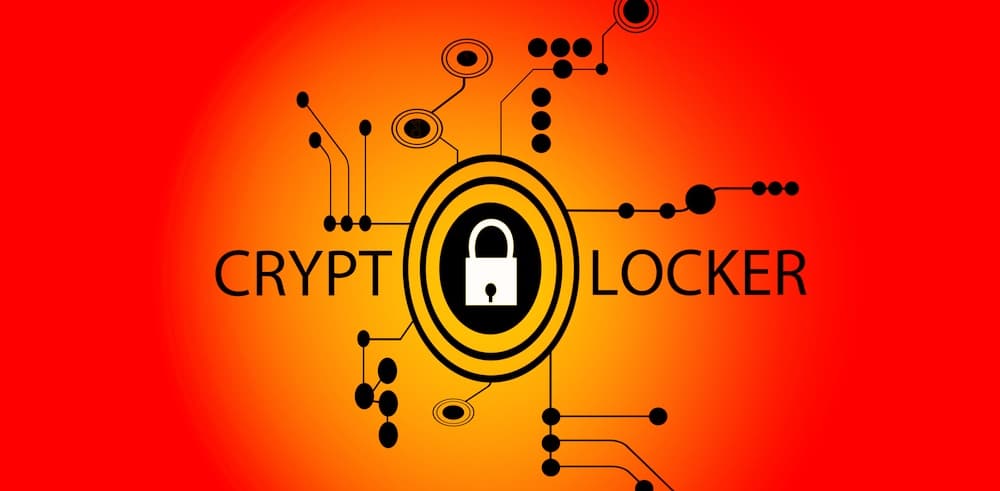
Cryptolocker is a sophisticated variant of ransomware that’s grown in infamy in recent years.

And while the original strain has been neutralised, copycat cyber security threats still exist. So for ease of use, we’re going to refer to them all as Cryptolocker.

So let’s look at what Cryptolocker is, and how you can provide Cryptolocker protection for your Brisbane business.

Cryptolocker

What is Cryptolocker?

Cryptolocker is a malware program that has shown itself to be more dangerous than standard ransomware.

Cryptolocker doesn’t just go after the files or devices on your network—it works faster, and goes further, and can affect an entire mapped drive. So your C: drive, E: drive, all of it.

And more insidious than that, it can also spread to external devices, such as USBs, external hard drives, and folders in your cloud networks.

Once Cryptolocker infects your computer, network, drives, or files, you’ll receive a notification telling you that your files have been encrypted. This will say that a ransom must be paid to retrieve them, and you can only unlock your files with a decryption ‘key’ provided by the hackers.

This response is timed, too. The original CryptoLocker ransomware gave victims 100 hours to pay the ransom, or their files are deleted. Copycat cyber security threats present themselves in much the same manner.

At present, Cryptolocker only affects those systems running Microsoft Windows. Mac users are safe, for now.

What is the impact of Cryptolocker?

Given its more aggressive and vicious spread, Cryptolocker can do more damage than your average ransomware. It can prevent access to entire drives, shutting down vast elements of your business operations. It can disrupt IT systems, and spread into IoT-connected devices, with the potential to bring entire supply chains to a standstill.

How to protect your business against Cryptolocker

There are a few key steps that provide your business with protection against cyber security threats like Cryptolocker.

  • Protection from Cryptolocker begins with safe internet use protocol. Provide regular internet safety training for all your staff, and their families. After all, common sense isn’t always commonsense. Ensure that everyone knows they shouldn’t open suspicious emails, or anything from unknown email addresses.
  • Make sure everyone knows what ransomware is, what Cryptolocker is, the potential effects, and how it can be spread. Provide clear instructions of what to do in the event a Cryptolocker attack occurs.
  • Another way to improve Cryptolocker protection is to restrict user access. Ensure users only have access to files and folders that are necessary to do their job. This works to contain the damage; the less attack surface that ransomware has, the smaller its spread will be, and the less can be encrypted.
  • Install whitelisting applications to ensure only approved software is running on your networks.
  • Ensure your antivirus software is up to date and patched with the latest information.
  • Ensure your operating systems are up to date and patched.
  • Importantly, ensure your business has a thorough backup and recovery process in place. Regularly back up your data and files with secure, remote backups. Consider using both physical and cloud off-site storage, to provide multiple backup points.

How to remove Cryptolocker

But if protection against Cryptolocker is no longer an option, you’ll need to know how to remove the ransomware. Be warned though: this won’t decrypt your encrypted files. But it will stop the malware from spreading.

If you fall victim to a Cryptolocker attack, you should treat it the same as a ransomware attack:

Step 1. As soon as possible, isolate any infected drives, devices, or folders from your network. This should work to reduce the spread.
Step 2. Shut off any network connections.
Step 3. Perform a thorough antivirus scan of the infected devices and drives, running it as many times as necessary to remove all traces of the original infection.
Step 4. Restore the operating system to the latest backed-up version.
Step 5. Again, perform a thorough antivirus scan to ensure all traces of the Crytolocker have been removed.

However, we don’t actually recommend you perform the review yourself. Bring your infected devices in to GPK instead. We can perform a thorough review of your devices in a secure environment, to minimise any further cyber risk to your company.

Get Cryptolocker protection for your Brisbane business

The best defence against ransomware is to be prepared. And Cryptolocker protection is the same: the better prepared you are, the more regular your remote secure backups are made, and the tighter your security protocols, the best chance you have at minimising any damage from a Cryptolocker attack.

GPK Group provide full-scope IT cyber security for Brisbane businesses. We help ensure you have the right software and protocols in place to protect against cryptolocker, ransomware, and the latest cyber security threats.

Get in touch with us today to discuss a cyber security solution for your Brisbane business.

The Cost of Cyber Security Threats for Australian Businesses

The Cost of Cyber Security Threats for Australian Businesses

We all know that cyber security threats are a real and present danger for Australian businesses. But just how much of a danger are they?

A quick look at the numbers tells us that cyber risks are set to damage Australian businesses big-time.

It’s estimated that by 2025 cyber crime is going to cost the world US$10.5 trillion annually. That’s such a huge figure that it’s practically incomprehensible.

And that’s not just in direct costs. This figure is a sum total of the damage caused by cyber security threats. It covers things like:

  • Stolen business funds
  • Stolen intellectual property
  • The destruction of irreplaceable businesses data
  • The loss of associated personal data
  • Lost staff working hours caused by the associated cyber attacks
  • The cost of investigation, clean-up, and business network restoration
  • The cost for the business of getting back on its feet

And the really concerning thing about this is that cybercriminals know that these numbers are achievable. Particularly in Australia.

Australia isn’t prepared against large-scale cyber security threats

Back in 2019 the Australian Department of Defence undertook a review of Australia’s cyber risk preparedness measures. They ran through a series of cyber risk scenarios, determining potential cyber attacks and our response as a nation to these attacks.

The scenarios themselves started out fairly innocuous. Australians queuing online to buy tickets online to the 2022 AFL grand final would find the system is down. Unbeknownst to them, this is the first wave of a multi-step cyber attack. During this confusion, a second cyber attack would disrupt international supply lines, creating a shortage of supplies that keep our essential services running.

An alternate scenario saw cyber criminals launching attacks against critical infrastructure, like the power grid and food supply chains, or by taking control over autonomous vehicles.

While these scenarios took a country-wide focus, the unsettling this is that every Australian business has the potential to be a target of these attacks—if they haven’t already.

The cost of cyber security threats to Australian businesses

An IT security threat for a Brisbane business can end up costing on average $276,000. Per attack. For many businesses, that’s a number that they can’t recover from.

And with the rapid switch to remote work that we’ve seen in the past 18 months, cyber criminals have been given the opportunity to exploit business that simply aren’t prepared. In fact, the remote work revolution and work-anywhere phenomenon has highlighted the vulnerabilities in traditional business security systems.

This is starkly apparent in the context of home office scenarios. According to recent reports, the leading causes of cyber security threats and breaches were:

  • Ransomware
  • Process weaknesses
  • Out-of-date security tech
  • Third-party apps

We’ve spoken about cyber security threats like ransomware attacks before. But how do these other cyber risks affect businesses?

Process weakness

A process weakness takes the form of a failure or vulnerability in your cybersecurity processes and protocols. And, usually, it comes down to simple human error. It can be a missing step in your business’ security system, or simply forgetting to update your operating system to a newly-patched version. Or it could be your users not following best-practice password protocol.

These weaknesses in your security processes are easy for cyber criminals to exploit. So it’s critical that you review your processes regularly to ensure you’re protected against the latest cyber risks.

Out-of-date security tech

Similar to process weakness, out-of-date security systems are a big cyber risk for businesses. It might seem like a hassle, but updating your security software is one of the best ways to protect your business against cyber attacks.

Having the latest security software updates ensures that the latest known cyber security threats and issues are patched against, and there are no known vulnerabilities for criminals to exploit.

The operative word here is “known” threats. There may be other cyber security threats out there—they just haven’t been discovered yet. But rest assured that your platform providers and cyber security software companies are on the hunt 24/7 to uncover and fix any vulnerabilities.

The cyber risks of third party apps

Have you heard of Shadow IT? Given its name, it already sounds shady and underhanded, but it’s actually a fairly benign phenomenon. On the user end, at least.

Shadow IT occurs when your teams and employees use apps, devices, and services that haven’t been approved by your IT team. Shadow IT are the programs they download to speed up processes, the messenger apps they use because they prefer them. It’s the action of saving their work to a personal cloud folder, rather than the approved business location whether this is a server or your own cloud provider.

From their point of view it’s harmless. But in using Shadow IT, your teams are using technology that hasn’t been allowed for in your business’ IT security plans. If your IT team isn’t aware of an application or piece of software that’s being used, they can’t ensure that it’s secure.

As well as causing inefficiencies in your workflows, Shadow IT can lead to data leaks, compliance violations, and security system vulnerabilities. It makes sense: the more apps and platforms that your business uses, the broader your IT attack surface becomes.

So make sure that your teams know exactly what they should be using in their work. Ensure they’re using these platforms, and get rid of the rest.

cyber-attacks-australia

Australia might not be prepared against cyber security threats—but you can be

While Australia as a country isn’t prepared against large-scale cyber security threats, as a businesses you can still do everything possible to ensure your workspace and networks are secure.

At GPK Group, we provide robust cyber security for Brisbane businesses to ensure you’re as prepared as possible against potential cyber risks and cyber security threats.

Get in touch with us today for a free, no-obligation discussion on how we can help keep your business safe and secure against the latest cyber security threats.

Ransomware explained: How it works and how to remove it

Ransomware explained: How it works and how to remove it

Ransomware is one of the most common cyber security threats against Adelaide businesses. In this article, we take a look at what this cyber risk is, and how you can protect yourself against it.

ransomware-attack

What is ransomware?

In its simplest form, ransomware is a type of malware. These cyber security threats work by tricking the user into downloading and installing a file, or clicking a link, that’s infected with that particular ransomware strain.

Once downloaded, the malware then gets to work. It locks down your system, restricting user access and files, encrypting them. You’ll then typically receive a notification that your system has been infected. This usually takes the form of an on-screen pop-up or an email, informing your that their files have been locked and encrypted. Within this notification the hackers then demand a ransom to restore your files. These days, the ransom is typically in the form of BitCoin.

Then, if you don’t pay the ransom, the hackers simply delete your files.

How ransomware spreads

Ransomware is spread in much the same way that viruses and other cyber security threats do. Hackers will send a phishing email, tricking you into opening and downloading the file, or to click through the link provided.

Occasionally it’s spread through drive-by downloads. That is, when you visit a site where the malware has been implanted. It lurks there, waiting for a user to click on that page. Then it automatically downloads itself to your computer.

Ransomware is one of the more dangerous cyber security threats

There are now more than 1,800 different strains and variants of ransomware out there, and 2021 alone has seen unprecedented levels of ransomware attacks. Attacks that have increased in sophistication, in severity, and in the volume of ransom demanded.

However, any level of cyber risk is unacceptable to a small business.

The average ransom businesses pay is over US$300,000. But that’s just on average. Smaller businesses may expect to pay $60,000, larger businesses a lot more. In March this year, computer manufacturer Acer was held to ransom to the tune of US$50 million.

Do I pay the ransom?

Despite the obvious issue that your sensitive and critical information is no longer available, the problem with ransomware that most businesses will struggle with is whether or not to pay the ransom.

By nature, the group doing the hacking aren’t going to be the most scrupulous of sorts. So will paying the ransom even ensure you receive access to your files?

The Australian Cyber Security Centre has clear guidelines on what to do in the event of a ransomware attack: Don’t pay. After all, there’s no real guarantee that the hackers will return your files or fix the damage they’ve caused.

Paying the ransom once also implies you may do so again in the future, leaving you vulnerable to future attacks.

How to remove ransomware

The best way to deal with the cyber risk of ransomware is to assume that your files and data are already gone. Instead, focus on restoring your data and files from your backups.

But let’s assume that you haven’t done this in a while.

If you were to fall victim to a ransomware attack, time is of the essence. So rather than reverse the situation, you need to focus instead on minimising the damage.

Here’s how to do it.

Step 1. Isolate the infected files or devices from your network to reduce and stop any further spread.
Step 2. Shut down wireless and Bluetooth connectivity to stifle any further spread.
Step 3. This is the hard bit. You need to identify any and all infected files or devices.
Step 4. Lock and restrict sharing access to any infected files or devices.
Step 5. Locate the original infected file. You can check your antivirus software for any alerts, or quiz your teams on any activity that may have led to malware being downloaded.
Step 6. Check your antivirus provider to determine the strain of ransomware you’re dealing with.
Step 7. Report the attack to the Australian Cyber Security Centre.
Step 8. Restore all your business systems from the latest backup.
Step 9. Run your antivirus/antimalware software as often as necessary to ensure all traces of the ransomware have been eliminated from your network.

How to combat ransomware

When it comes to ransomware, removing it yourself is a last resort. The best way to actually combat ransomware is to ensure your business performs regular, secure backups in the first place.

Keep these backups separate to your business system. The more removed they are, the safer they’ll be. Consider using both physical and cloud off-site storage, to provide multiple backup points.

Also, ensure your business practices sensible internet use. Don’t click suspicious emails or links. Only use secure networks. And make sure your antivirus software is up to date.

The best defence against ransomware is to be prepared

Ransomware is one of the most common cyber security threats impacting Adelaide businesses. So it’s crucial that your organisation is prepared.

At GPK Group we take a proactive approach to managing your business’ cyber risk, and provide robust, full-scope IT cyber security for Adelaide businesses. Contact us today to discuss a cyber security solution that stops ransomware in its tracks.

The Top 10 Most-Infamous Cyber Attacks

The Top 10 Most-Infamous Cyber Attacks

There have been some absolutely astounding cyber security threats in recent years. Wide-ranging, costly, and damaging the activity of large Australian businesses for days.

And while cyber security threats are becoming more insidious, and more targeted, they don’t always make the news.

So let’s look at 10 of the most infamous cyber attacks in history, and the flow-on effects these have had to cyber security for Adelaide businesses.
cyber-attacks

1. The Cambridge Analytica data scandal

Call it what you will, but the Facebook Cambridge Analytica data scandal was a sophisticated social engineering hack that was effectively hidden in plain sight.

Facebook engaged consulting firm Cambridge Analytica to create an app, This Is Your Digital Life, for research purposes. It was supposed to collect personal information from those that opted in—but ended up collecting the information from their unsuspecting friends, too.

While only 270,000 people downloaded the app, data was collected on 87 million users. This included things like names, relationship status, religion, birthdate, employers, search activity, and check-ins. The data was then used by both Senator Ted Cruz and President Trump to gain information on the political preferences of Americans during their political campaigns.

While many may not see this as a cyber attack, it was definitely one of the biggest cyber security threats in recent year, the fallout of which has changed how we view social media and its use.

2. Ashley Madison

Ashley Madison, the infamous online dating site for those already married or in relationships, was famously hacked in 2015. An online group known as The Impact Team notified the site that it had stolen the personal information of 32 million of their members, and threatened to post it online unless the site closed down.

Ashley Madison ignored them, and much to the shock of those using the site, the hacking group followed through and posted their sensitive data online, exposing those users to public scrutiny.

This breach cost the company almost $30 million in fines and damages—and untold heartache in homes all over the US.

3. Sony’s double-header

Entertainment giant Sony found itself under attack twice in the early 2010s.

In 2011 hackers stole the personal data of 77 million PlayStation users, including credit card and financial information. A distributed denial of service (DDoS) attack shut the PlayStation network down for 23 days, costing the company $15 million in compensation to its users.

They bore the brunt of further cyber security threats in 2014, falling victim to a malware attack. The hackers gained access to employee emails, confidential film scripts, employee salary information, and copies of unreleased films. They then used wiping malware to attack Sony’s computing infrastructure.

It was determined that the attack came from a North Korea-sponsored group, in response to their views against the Seth Rogen and James Franco film, The Interview.

4. Adobe

Globally-used and loved creative platform Adobe fell victim to a cyber security threat in 2013, when they announced a backup server had been hacked. The hackers stole the personal data of 153 million of its users, including usernames and passwords. This information was then dumped online.

5. Celebgate

Celebgate wasn’t a large-scale attack, but it was certainly well publicised. In 2014, a group of hackers used spearphishing tactics, creating emails that mimicked official Google and Apple emails, to gain the usernames and passwords to celebrity cloud accounts. Their goal was to steal private images of female celebrities.

Hundreds of big-name actors were impacted by this, and had their personal and private images dumped onto imageboards across the internet.

The cyber security threat implications of this attack are still being felt, and similar instances continue to occur. It goes to show that cyber crime isn’t always about dollars; often it’s purely out of spite, to cause chaos.

6. Wannacry

The 2017 Wannacry ransomware attack was a cyber security threat that impacted around 230,000 computers in more than 150 countries. The hackers target computers running Microsoft Windows, demanding payments in BitCoin.

What was particularly insidious about this attack was that it included a mechanism that enabled it to copy and then spread by itself. Users that hadn’t installed the most recent April 2017 Windows security patch fell victim to the attack. And it was a vicious one, with victims hearing reports that no infected businesses who paid the ransom ever actually received their data back.

At the end of the campaign, a total of 327 payments had been made, totalling US$130,634.77

Notably, the UK’s National Health Service, Indian State Government organisations, Nissan, Boeing, and FedEx were all hit by the Wannacry attack.

7. SolarWinds

December 2020 saw the US Government fall victim to a mammoth cyber attack. Unknown actors inserted malicious code into SolarWinds’ Orion network management software used by Fortune 500 companies all over the world, including firms like Microsoft. At least 6 US government departments were impacted. This included, concerningly, the National Nuclear Security Administration, and the Department of Homeland Security.

This code went undiscovered, and SolarWinds even sent a security update to its users that included this malicious code.

It’s unclear to what extent these users have been breached, or even what data has been stolen, making this one of those significant cyber security attacks ever.

8. Zoom

As the world shifted to working remotely, businesses and individuals were quick to roll out the Zoom platform. But as its user base grew, so too did interest from cyber criminals.

One well-publicised cyber security threat saw the user account credentials, passwords, and meeting URLs stolen, and put up for sale on the dark web.

Zoom reacted by implementing crucially-missing security measures, including meeting IDs and passwords.

9. Yahoo!

Yahoo! just can’t seem to catch a break. The search has fallen victim to cyber security threats on at least three separate occasions.

In 2014 they had 500 million user accounts breached, where senstive personal information like phone numbers, passwords, and birth dates were stolen. In 2018 it reported a breach of 32 million user accounts.

But neither of these compare to their 2013 breach, where it revealed that 3 billion user accounts had been stolen.

10. Target’s bad luck with credit card details

Target’s attacks are notable as the first time a retailer of this size was the victim of an attack on this scale.

In 2013 in the US, during the Black Friday, the details of 40 million Target customer credit card accounts were compromised. This happened again in 2014, with another 70 million credit card account details being compromised.

So, what have we learned?

While it seems that some of these businesses haven’t put their learnings into action, that doesn’t mean you can’t.

GPK Group provides smart cyber security for Adelaide businesses, so you get peace of mind that you’re protected against cyber security threats.

Reach out to us today for a free, no-obligation discussion on how we can help your business remain safe and secure against the latest cyber security threats—and so you don’t see your name in this list.

0%